
New Moon
New Moon is a dating app that keeps everyone in mind. Users can upload their schedules within the app to find matches with similar schedules.
Project Overview
Challenge
New Moon is a dating app designed for people with unconventional schedules, such as night shift workers, freelancers, and parents. The challenge was to seamlessly integrate features into a normal dating app flow that prioritizes availability compatibility. The app needed to simplify finding matches with similar availability, while making it fast and easy to connect in the real world. From the design aspect, New Moon needed to have a whimsical essence, while remaining polished.
Solution
Design a mobile app dating experience centered around schedule compatibility
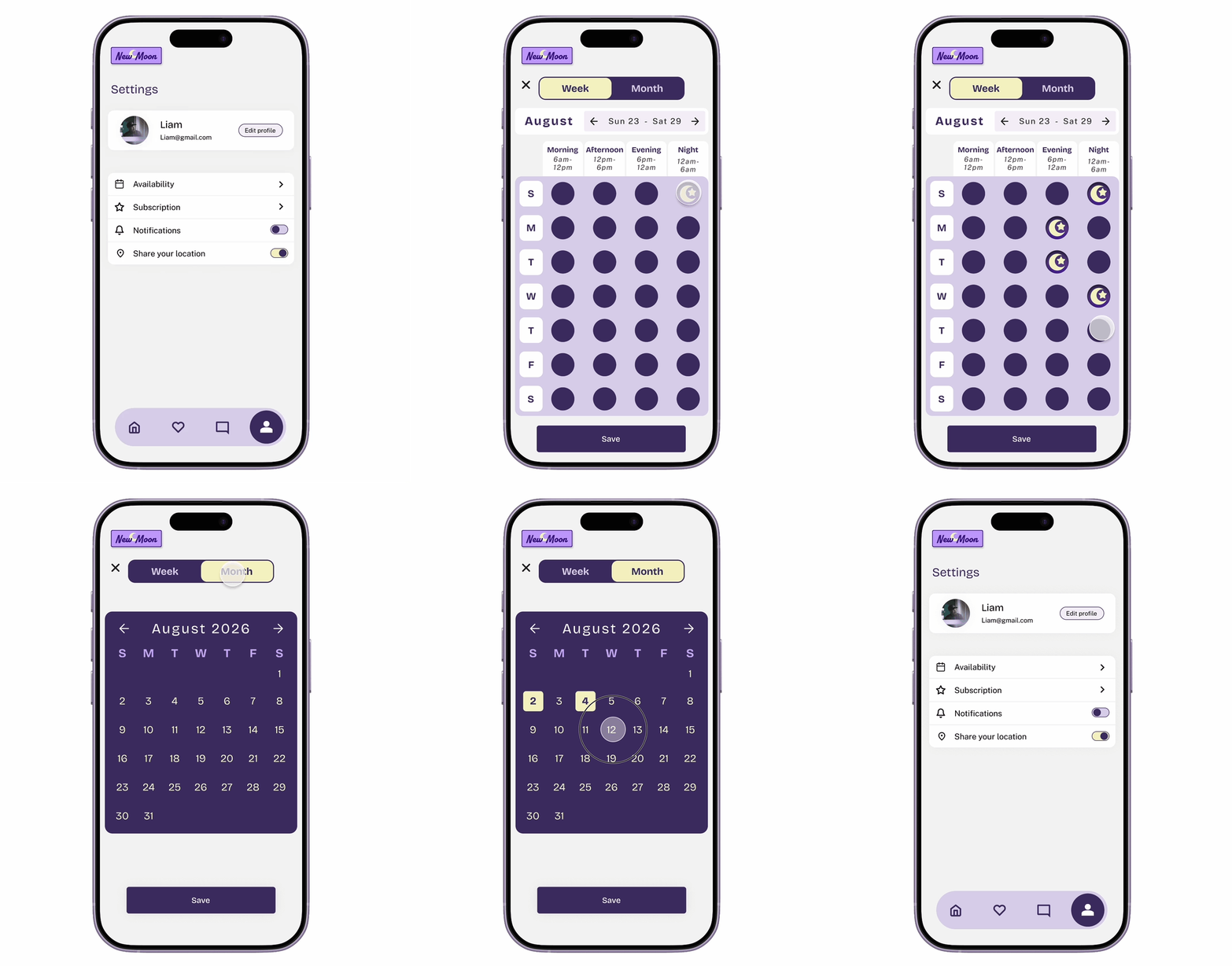
Create a clear and intuitive system for visualizing overlapping availability
Develop a clear brand identity that feels polished and nocturnal
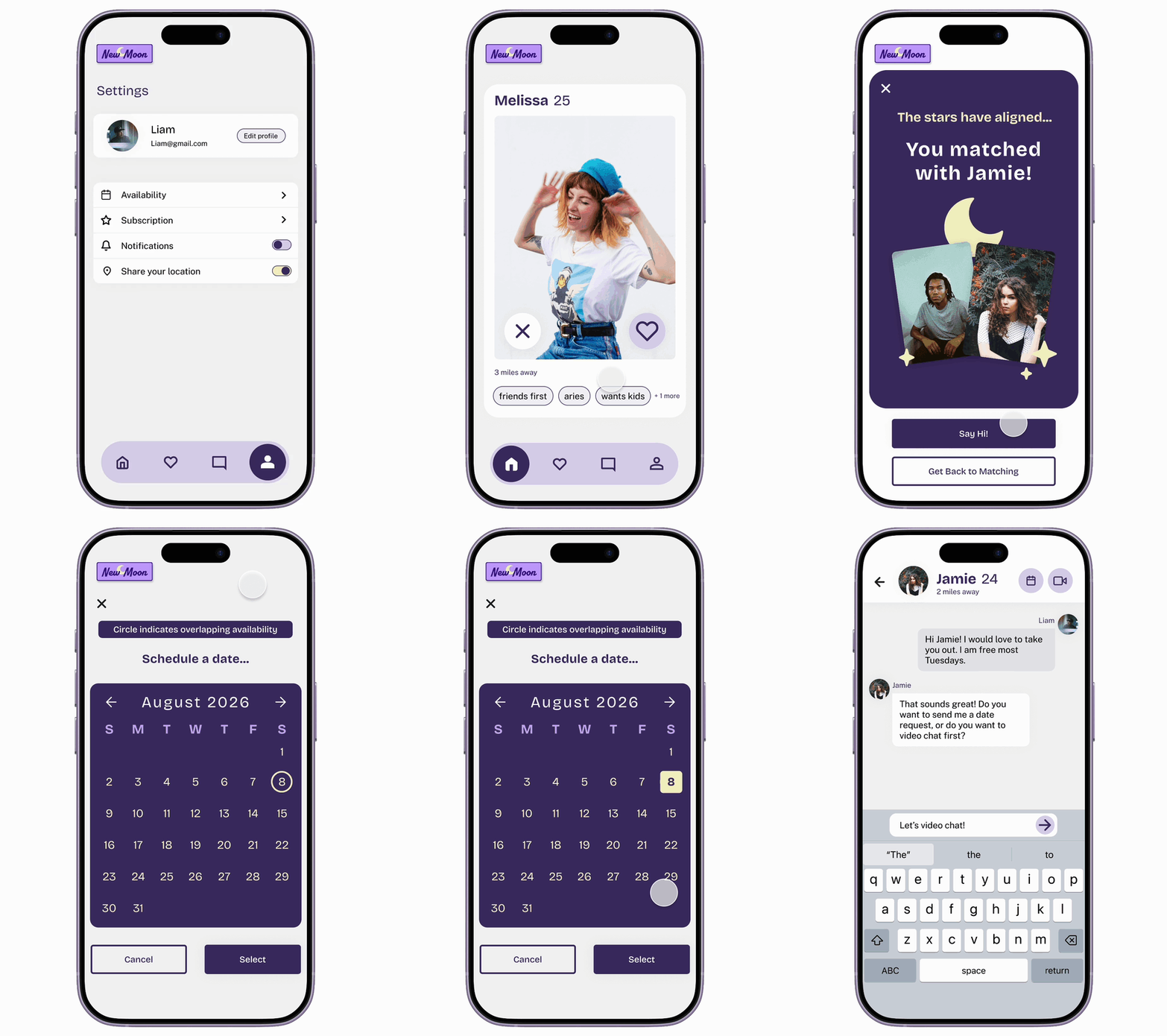
Streamline the flow from matching and messaging to facilitate real-world meetups
Task
App design and branding
Roles
Tools
Researcher
Figma
Designer
Illustrator
Tester
Goal
Provide users with a digital space to connect with other users who are navigating similar challenges, creating opportunities for meaningful and lasting relationships.
Match users based on schedule compatibility
Create an engaging and intuitive solution for schedule input
Streamline setting up dates
Design Process
Research
Target Audience
Primary:
Adults in their twenties to forties, who are navigating their peak social hours falling outside of the norm
Need a dating app where people are active outside of traditional peak hours
They are seeking serious relationships and need logistical compatibility
Secondary:
Adults in their twenties to forties who are frustrated by scheduling conflicts
Need a way to find people to date that have similar free time
They struggle to successfully coordinate dates
Pain Points
Limited off-peak hours engagement
Date scheduling friction
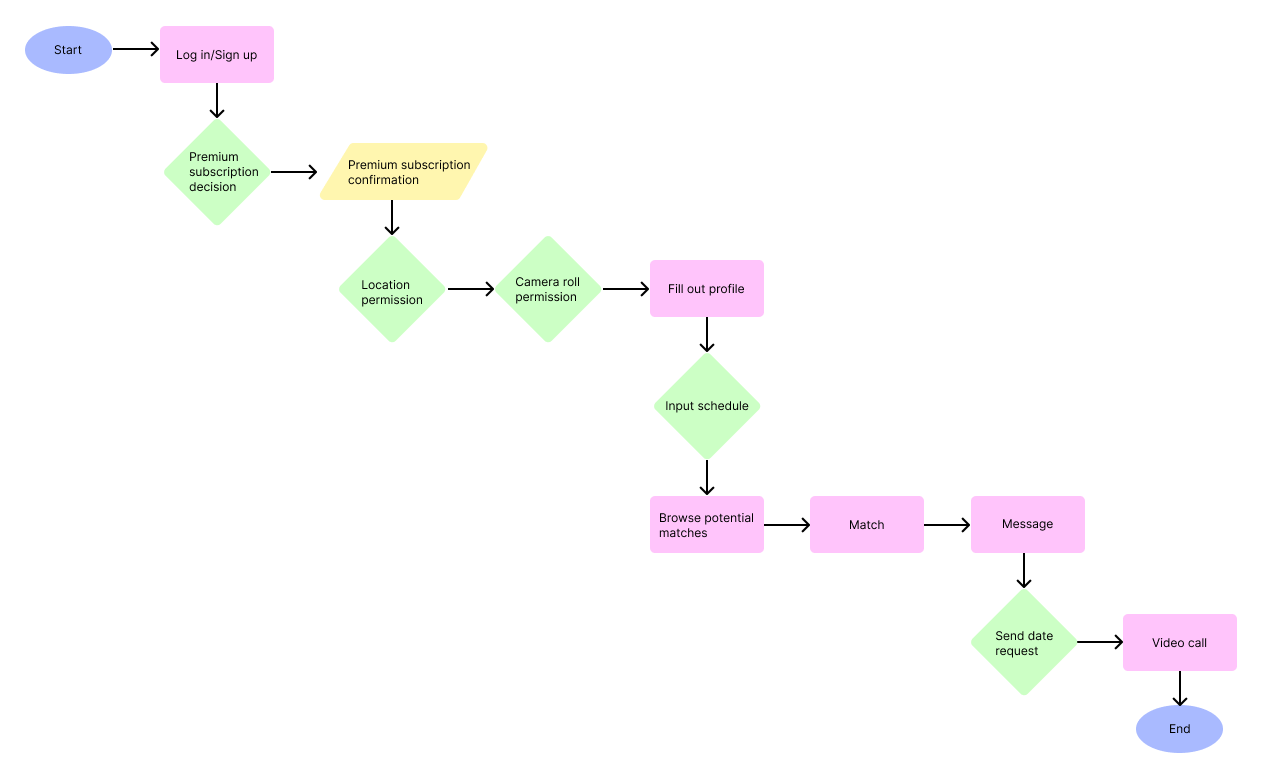
User Flow
Wireframes
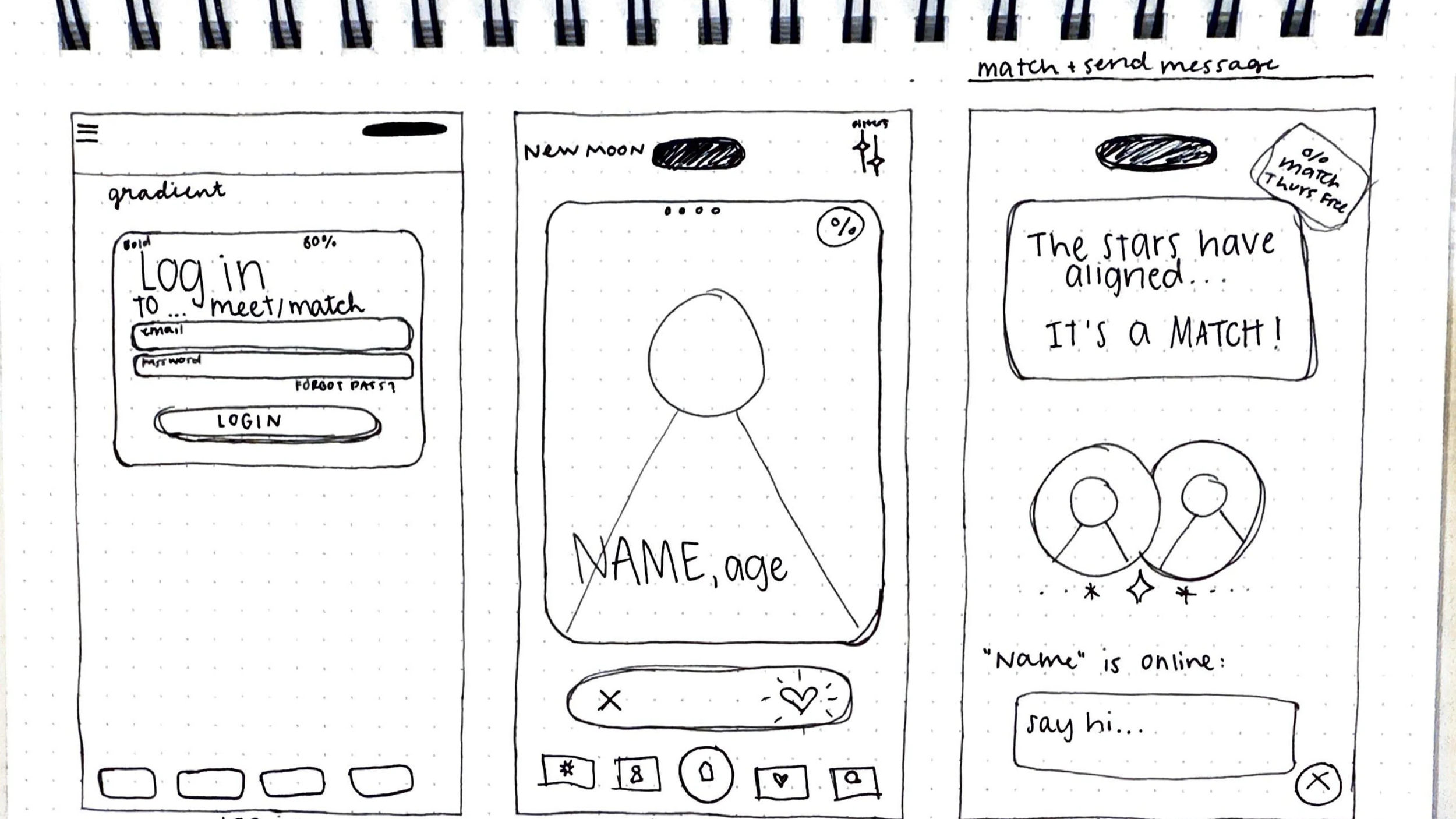
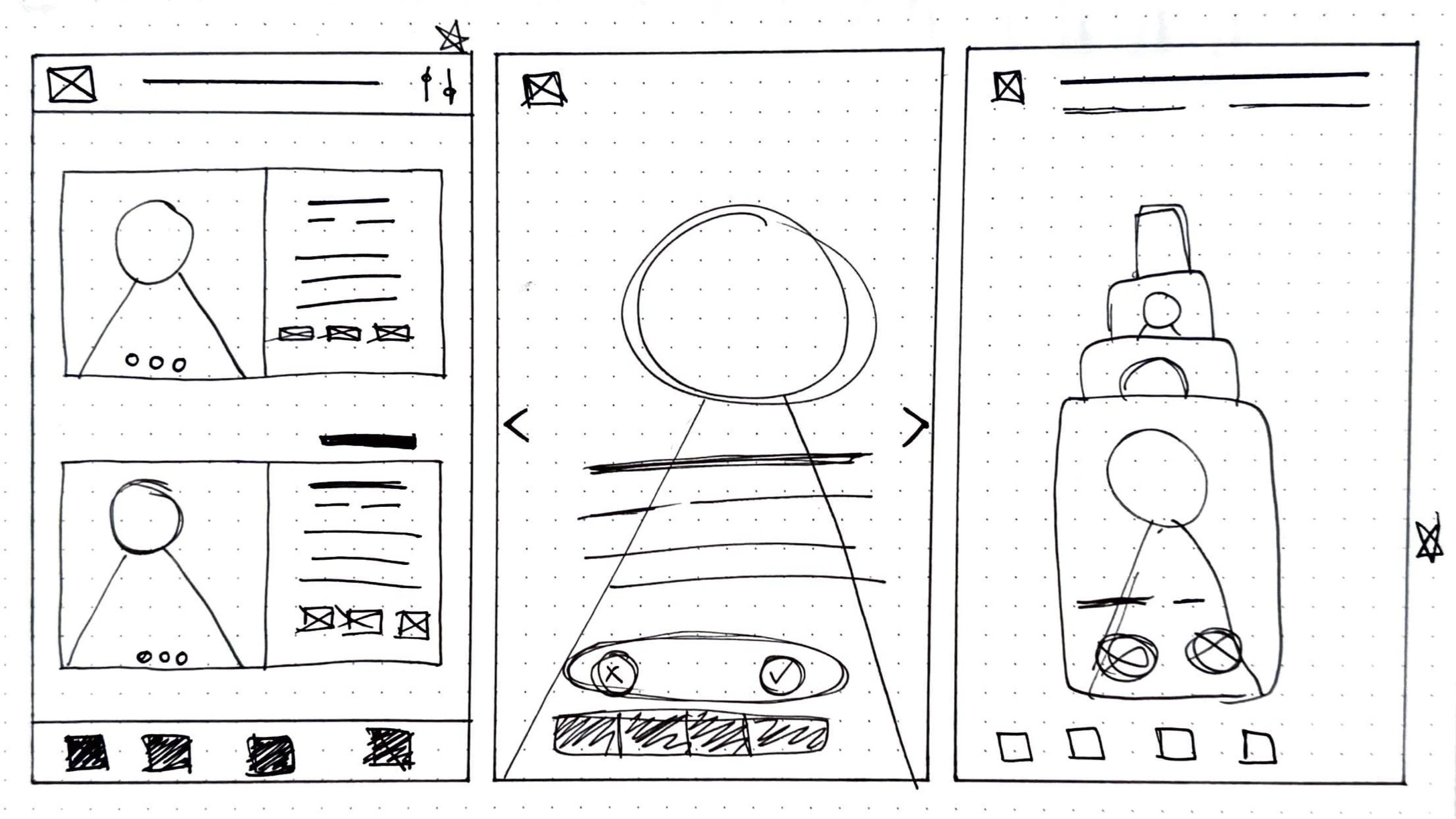
Low-Fidelity Prototype
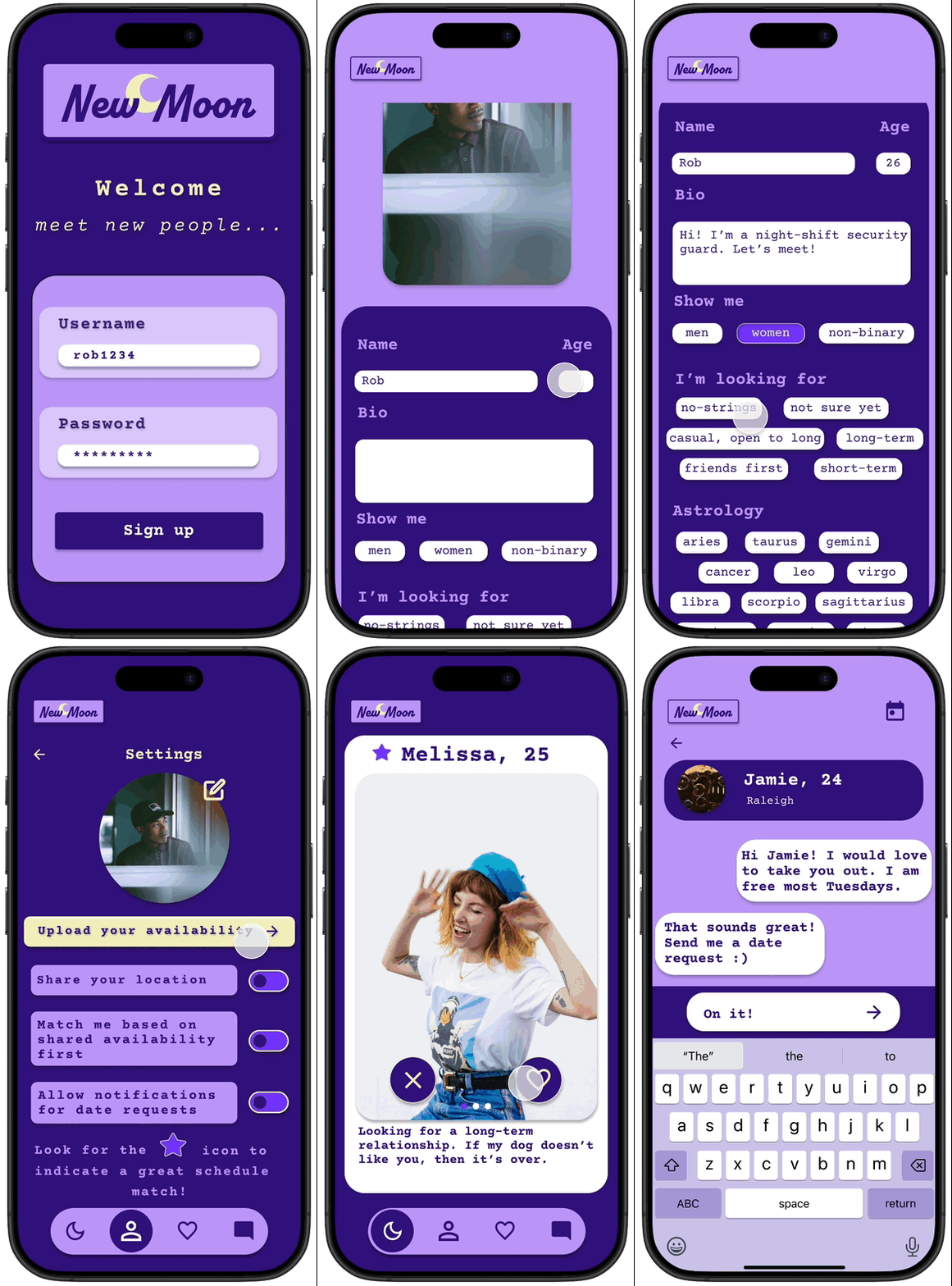
High-Fidelity Prototype
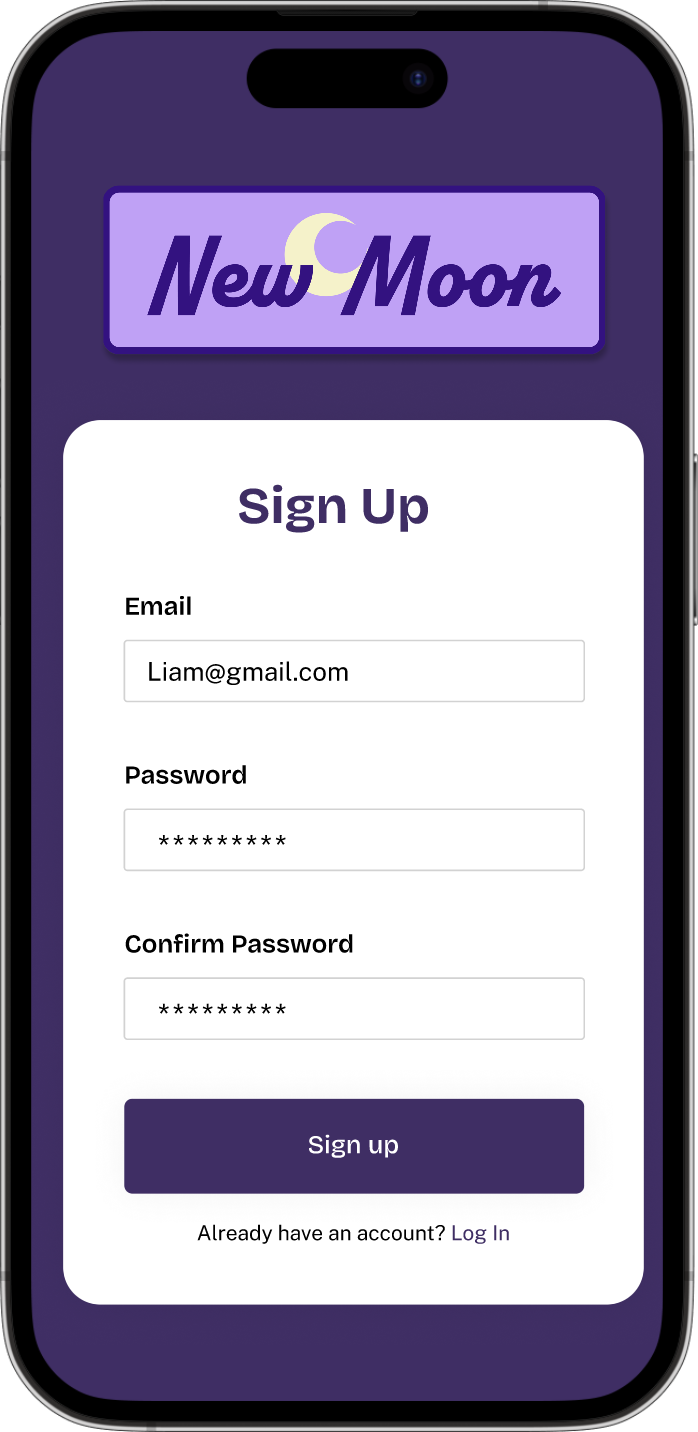
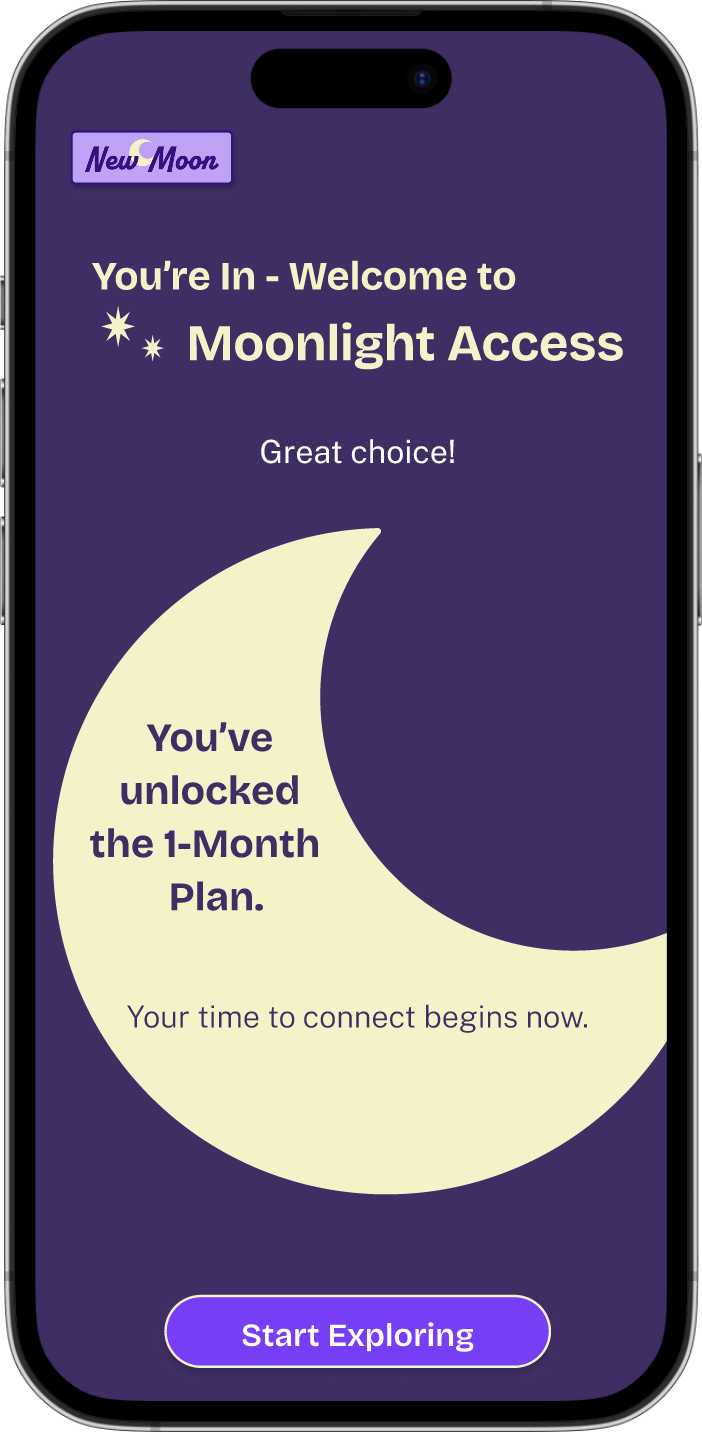
Sign Up Flow
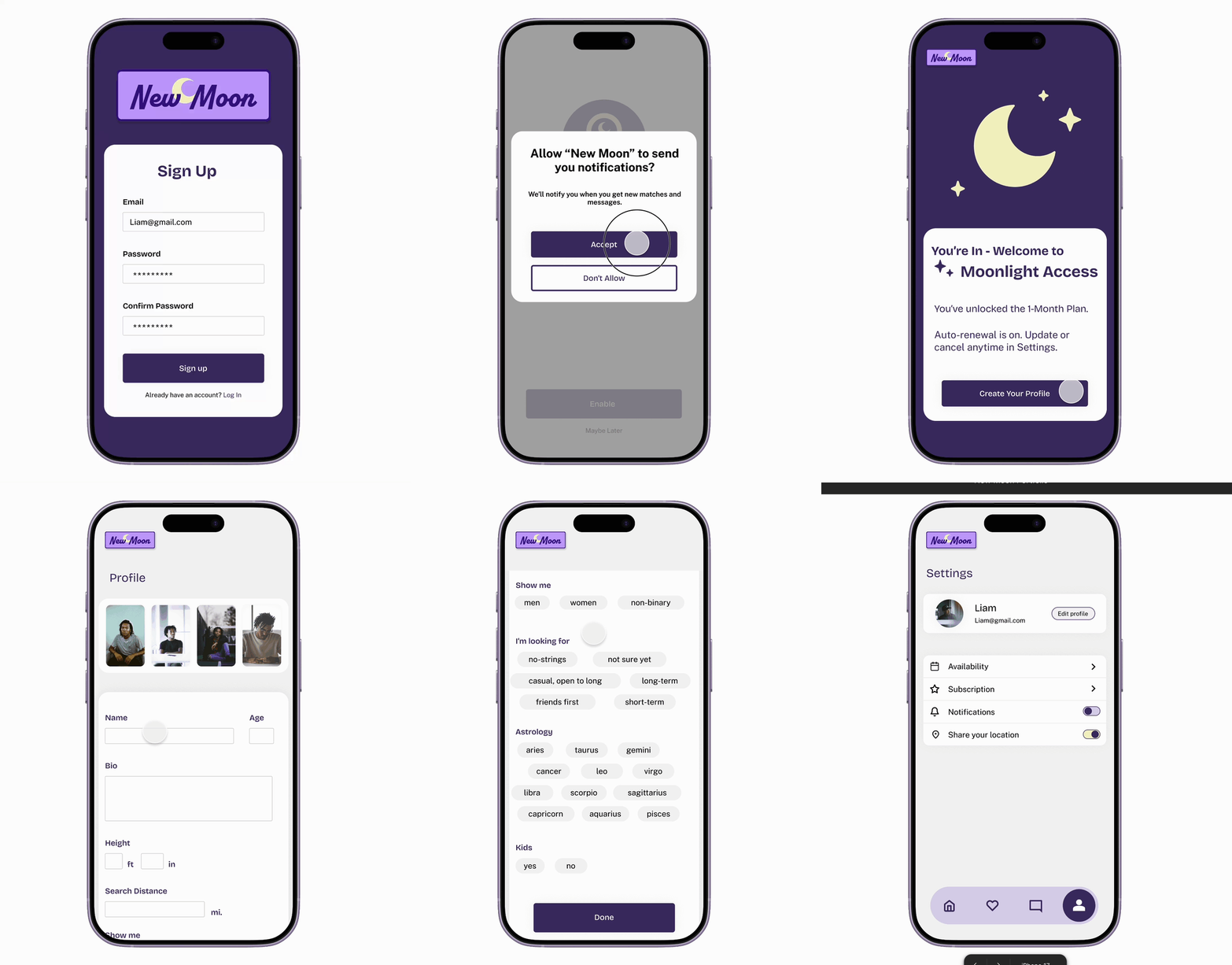
Schedule Input
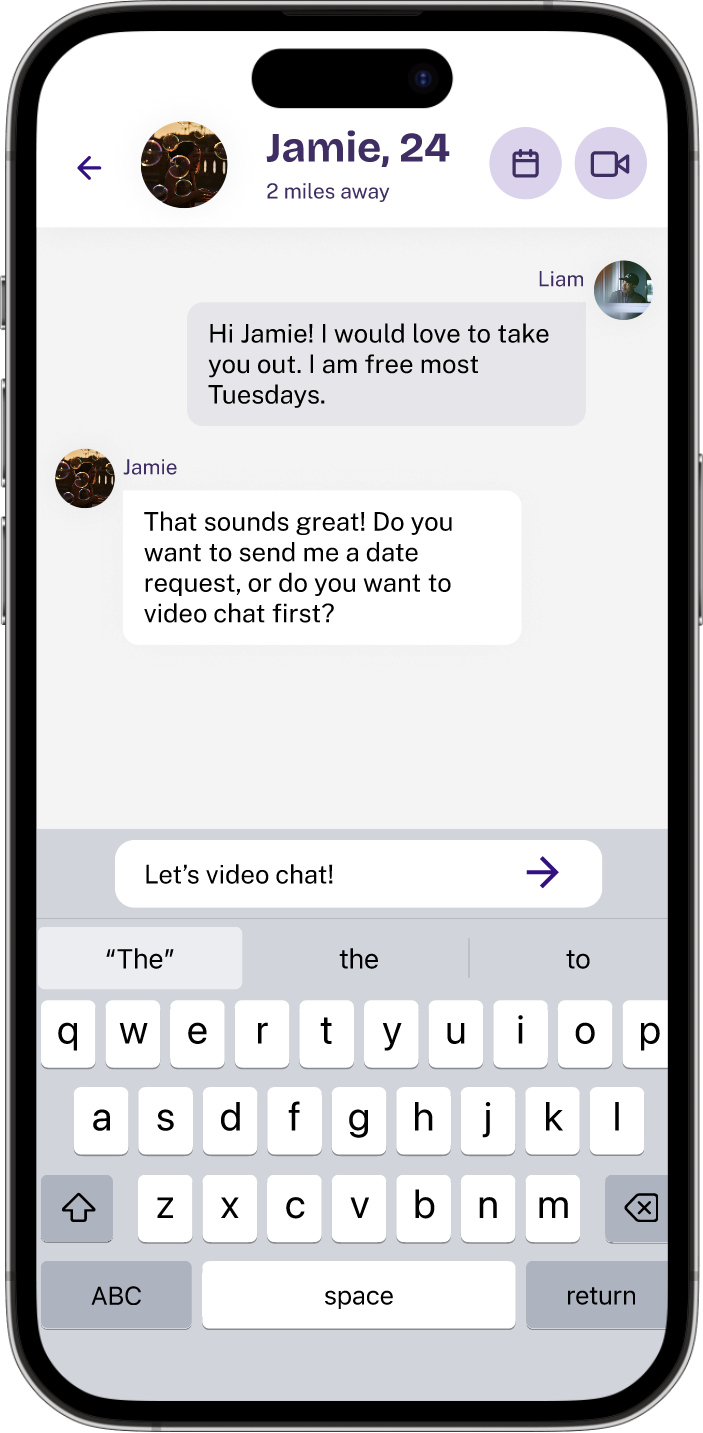
Match & Schedule a Date
Usability Testing
Overview
Type
Moderated Usability Study
Duration
30 minutes
Where
Remote - Conducted over Microsoft Teams
Participant
Fellow college classmate
Task
Participant was asked to send a date request to Jamie
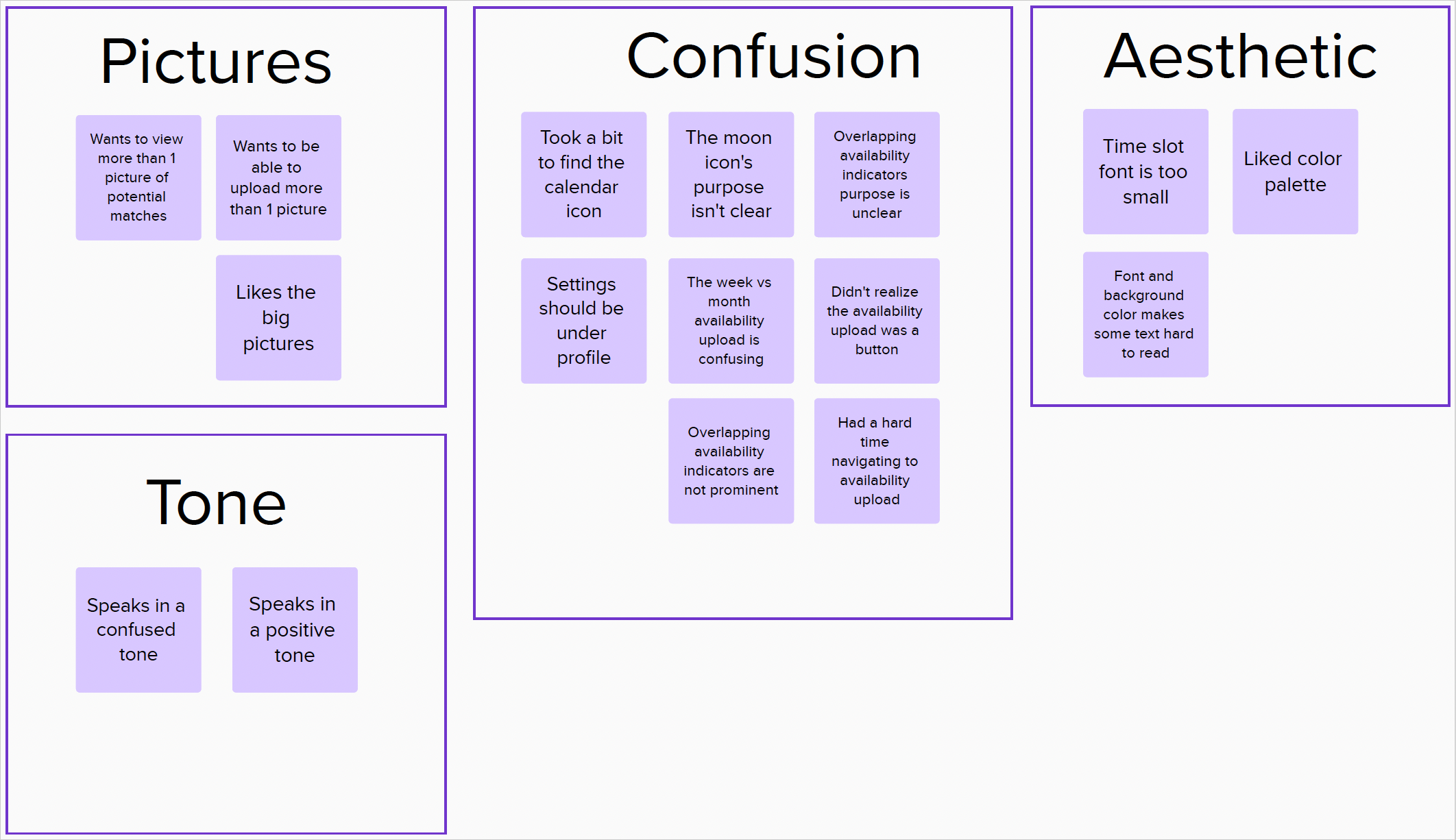
Insights
Easy
Participant noted the interface is mostly intuitive
Supporting evidence that users want easy and intuitive solutions
Users need an easy way to upload their schedules that is flexible
Some text is too small
Fast
Participant mentioned that they enjoyed completing the task and that it was easy
Supporting evidence that users want fast solutions'
Users need a way to schedule a date fast
Affinity Diagram
Usability Iterations
Moon Icon
The moon icon in the nav bar was changed to a home icon
Color Adjustments
Changes were made to text and backgrounds to improve readability
Availability
Reduced clutter and used better grouping to make the availability input screens easier to navigate
Settings
Moved the user profile to be under Settings